The problem
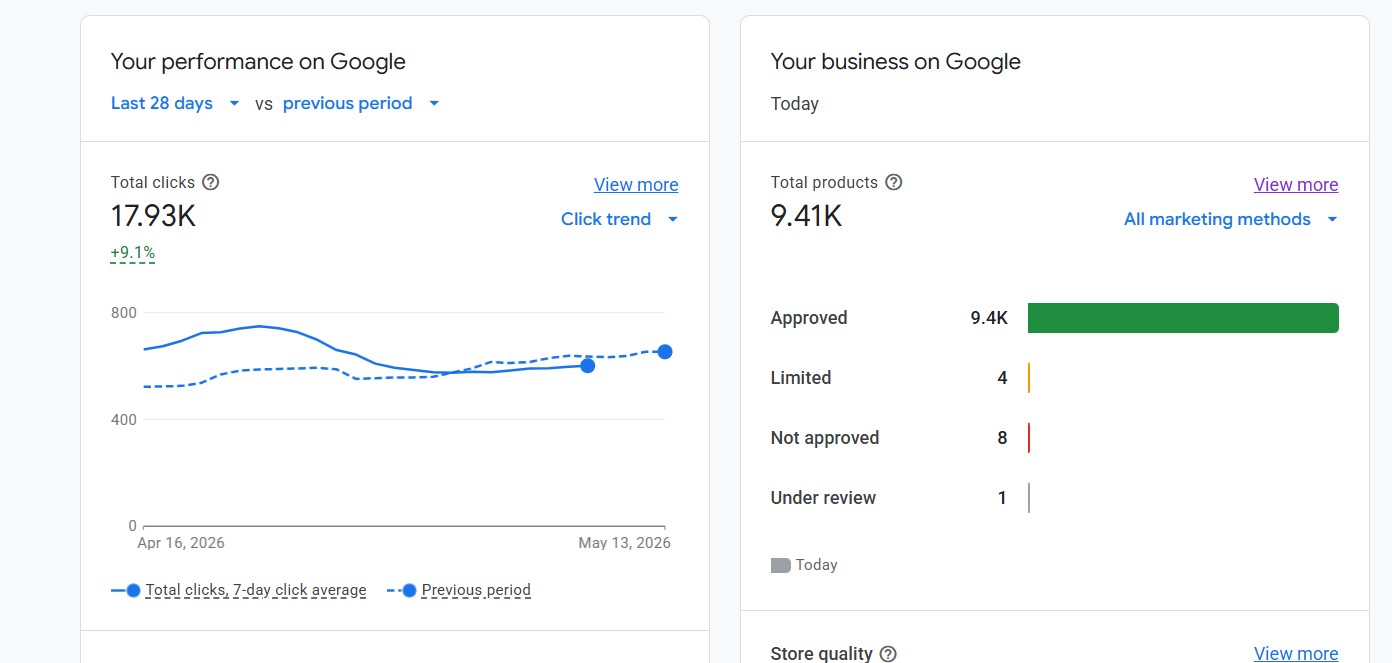
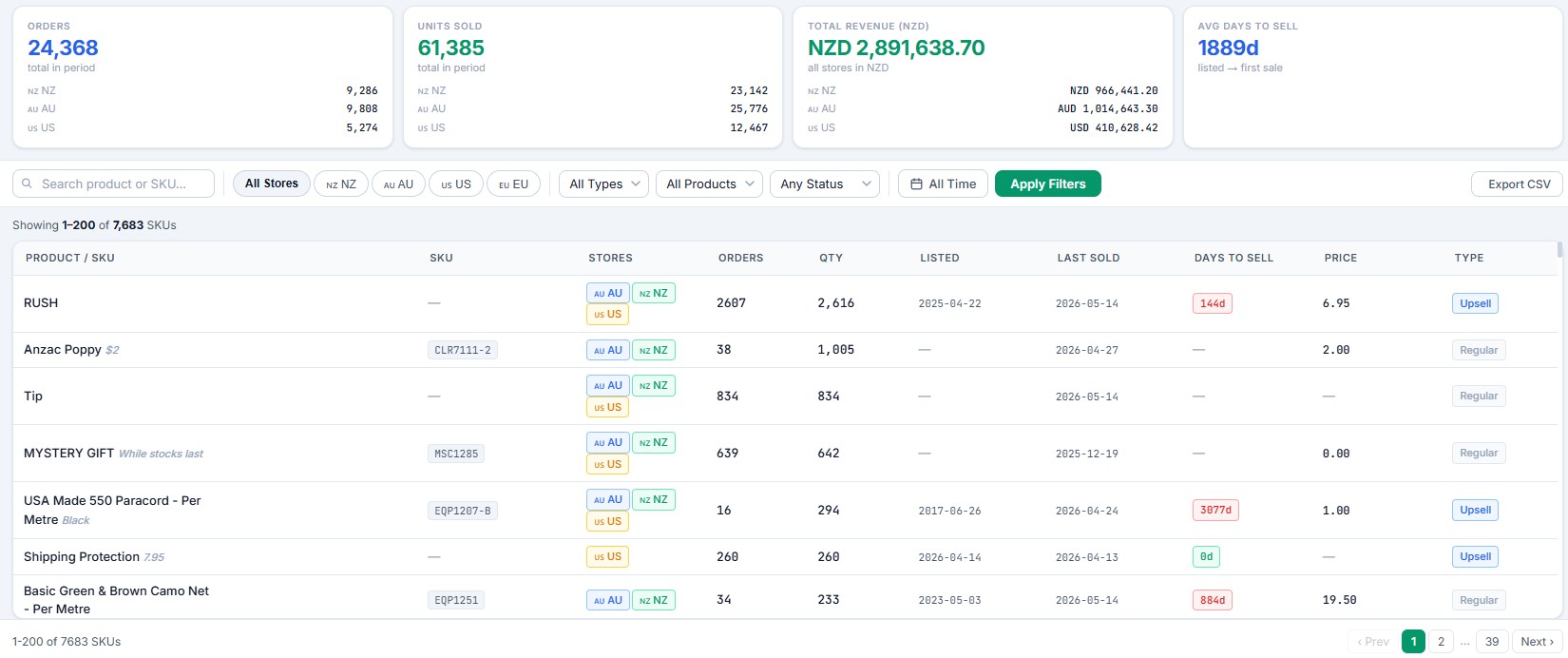
Army & Outdoors had thousands of products live across the catalogue — but no systematic way to answer a simple question: which products aren't selling?
Shopify doesn't surface this well. You can see total sales per product, but "this product has had zero sales in the last 90 days and is still taking up prime catalogue space" is not a view Shopify gives you. The marketing team was effectively guessing about which products needed a push, a discount, or to be quietly retired.
My manager asked me to find a way to make slow sellers visible — automatically, with no manual reporting.
The approach
The core idea: track the moment of every sale, so at any time the system knows exactly how long it's been since each product last sold. Then translate "days since last sale" into something the marketing team can actually act on inside Shopify — tags they can filter by.
The build
Capturing sales in real time
orders/createwebhook fires on every order- HMAC verified, HTTP 200 returned immediately, then queued (the standard webhook reliability pattern)
- The order is saved into an
orderstable in MySQL, with its line items mapped to aproductstable - For each product sold, its "last sold" timestamp is added or updated
Tracking when products go live
- When a product is published to the online store, the system records its published date in the products table
- This matters — a brand-new product that hasn't sold yet shouldn't be flagged as a "slow seller". The clock only makes sense relative to when it actually went live
The daily escalation job
Every day, a job checks every product against its last-sold timestamp and applies escalating Shopify tags:
- Not sold for 30 days (and published on the online store) — add tag
unsold_30days - Not sold for 60 days — remove
unsold_30days, addunsold_60days - Not sold for 120 days — remove
unsold_60days, addunsold_120days - Not sold for 180 days — remove
unsold_120days, addunsold_180days
The tags swap rather than stack — a product is only ever in one unsold tier at a time. As soon as it sells, the next daily run clears the tag entirely. The product's age in the unsold state is always readable at a glance from its single current tag.
The result
- Slow sellers are visible in seconds. The marketing team filters the Shopify product list by
unsold_120daysand instantly sees everything that's been dead for 4 months. - Marketing strategy got data-driven. Instead of guessing, the team can target the right products: promote the 30-day ones, discount the 60-day ones, clear or retire the 180-day ones.
- Zero manual reporting. The tags are just there in Shopify, always current, updated every day automatically.
- New products are protected. The published-date tracking means a fresh product isn't unfairly flagged before it's had a fair chance to sell.
The technical bits worth noting
- Single-tier tagging — the swap-not-stack logic keeps the data clean. A product tagged
unsold_120daysis unambiguously in that tier, not also carrying stale 30/60 tags from months ago. - Published-date gating — the unsold clock is anchored to when the product went live, not when it was created in the admin. Prevents false positives on new stock.
- MySQL as the source of truth — sales history lives in the local database, not recomputed from Shopify's API every run. Fast, and not subject to Shopify API rate limits on the daily job.
- Webhook + cron split — the webhook captures the event in real time; the cron does the slower batch tagging work. The two stages are decoupled so a slow tagging run never delays order capture.
Why this matters for your store
Every store accumulates dead stock — products that sounded good, got listed, and then just sat there. The cost isn't only the tied-up inventory. It's the catalogue clutter, the wasted ad spend on products that don't convert, and the merchandising attention spent in the wrong places.
The problem isn't that the data doesn't exist — it's that it's not visible at the moment someone's making a merchandising decision. Surfacing "this hasn't sold in X days" as a filterable tag, right inside the tool the marketing team already uses, turns an invisible problem into an actionable list.
I built this for one multi-thousand-product catalogue and it's been quietly informing merchandising decisions since. The same pattern works for any store big enough that "which products aren't selling?" isn't answerable from memory.